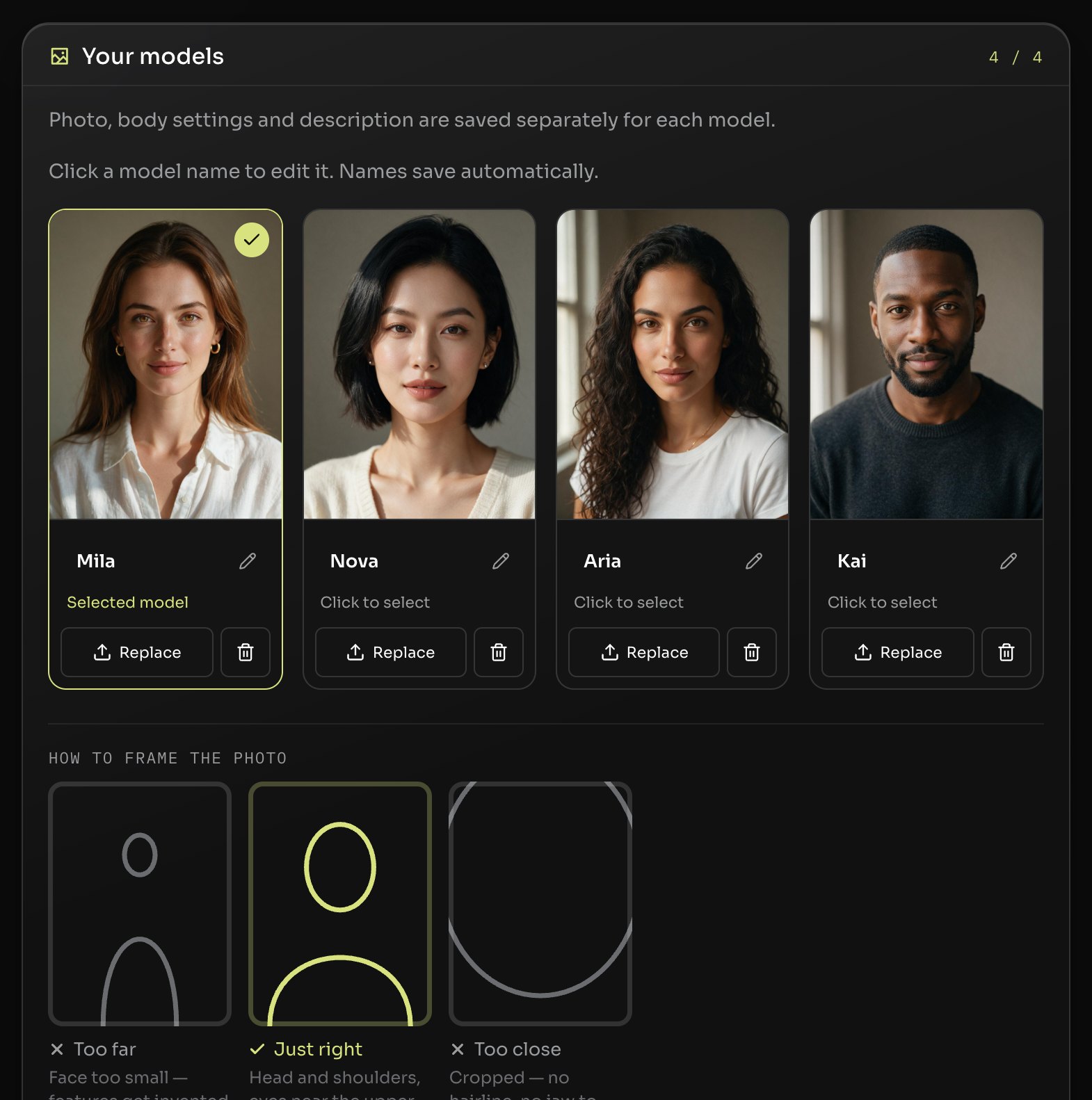
One photo, one model. Upload a single reference photo of your AI character. That face is locked in and travels into every generation — any scene, any outfit, any light. A short description rides along as text, so the small things stay the same too.
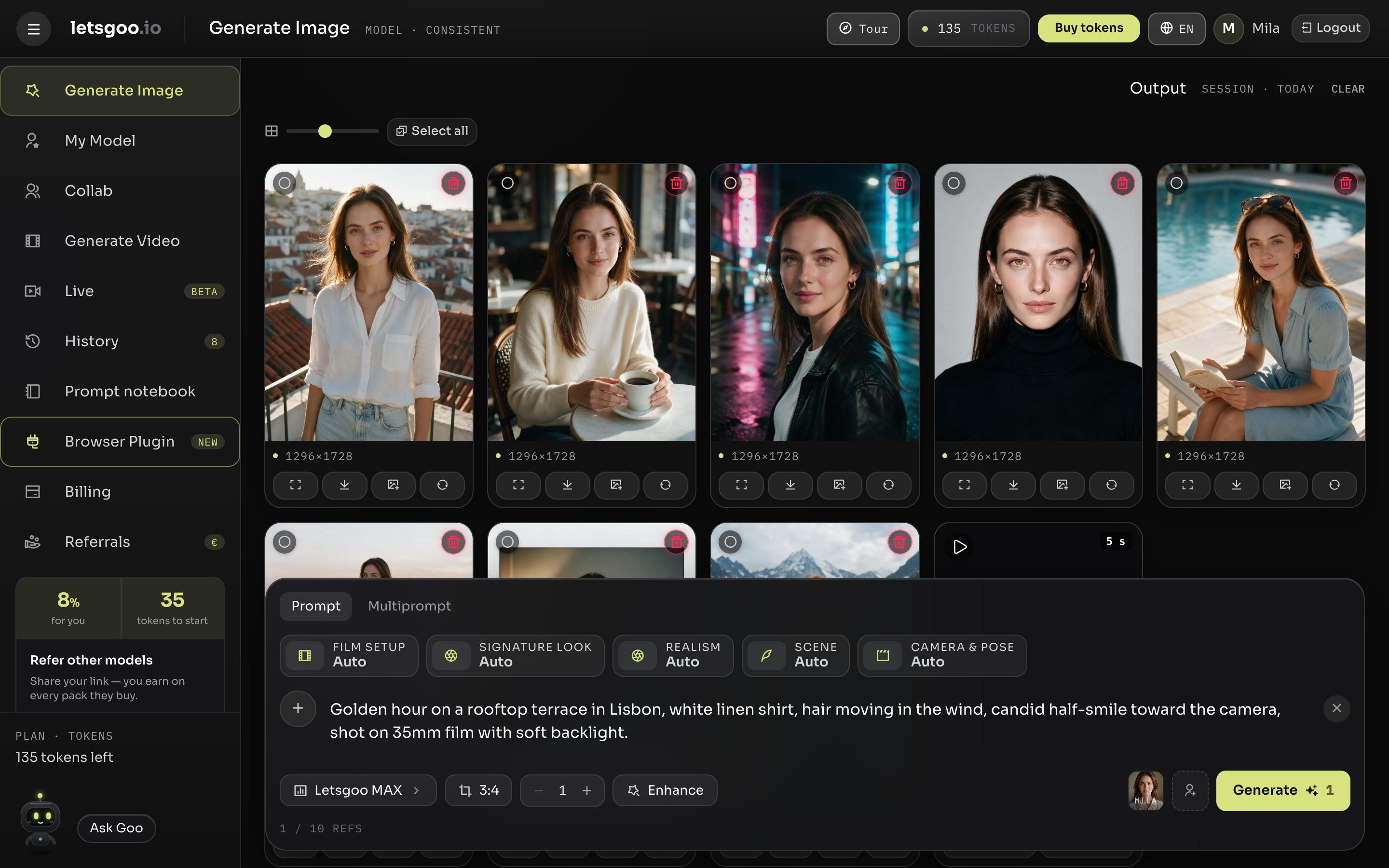
Lock in your AI character with one reference photo, then generate images and clips of that character in any scene — in the browser, from any website, or on your phone.
No credit card · No subscription
One photo, one model. Upload a single reference photo of your AI character. That face is locked in and travels into every generation — any scene, any outfit, any light. A short description rides along as text, so the small things stay the same too.
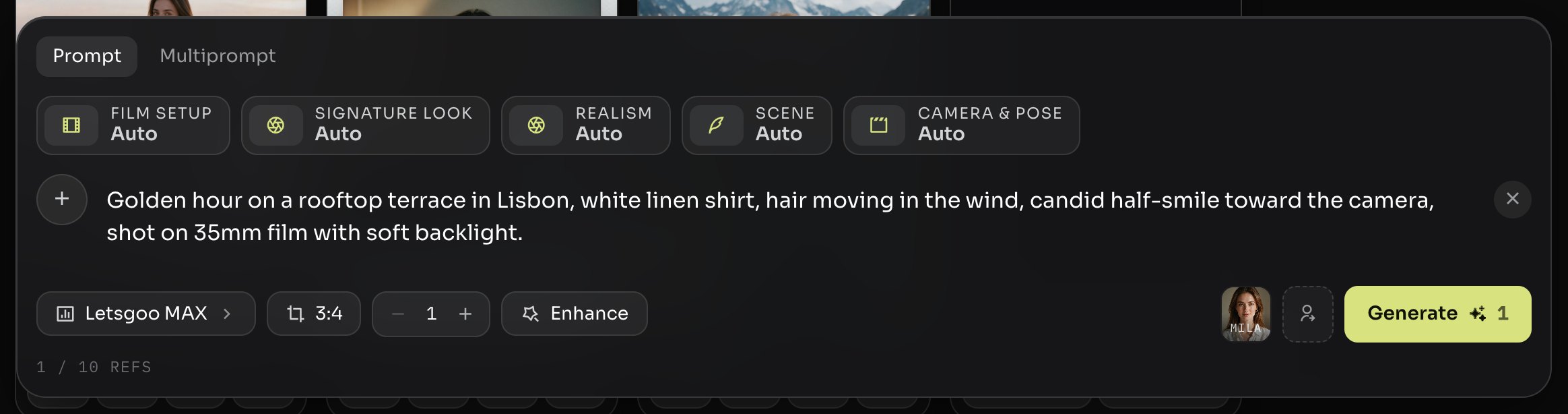
Describe the scene. Get the image. Type the shot the way you would brief a photographer. Film setup, signature look, realism, scene and camera sit as chips above the prompt; a run delivers one to ten images in Story, Portrait or Square, usually within a minute.
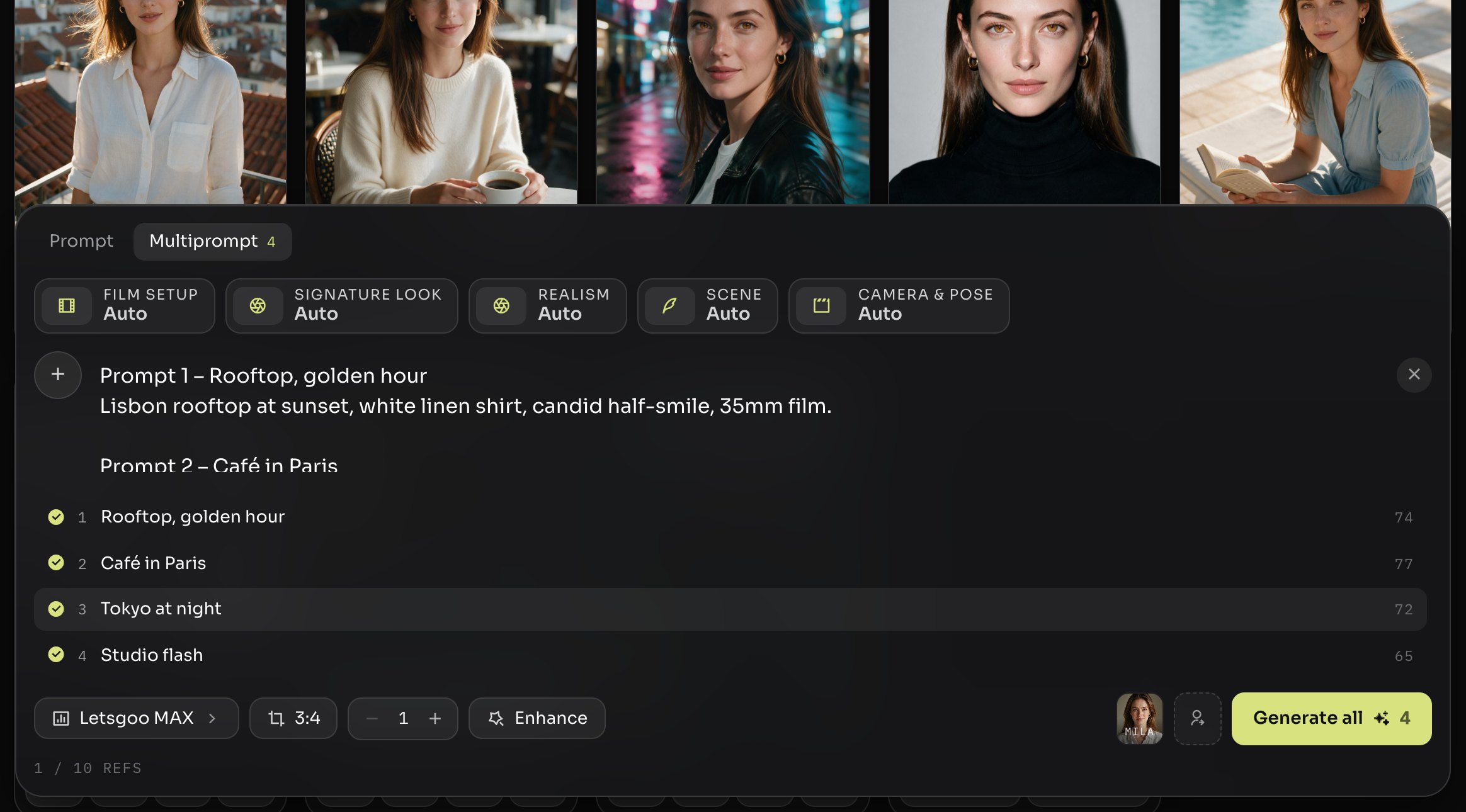
Paste a whole prompt set. Sets are written by hand — Prompt 1, Prompt 2, Prompt 3. Paste the lot and Multiprompt runs one image per entry, labels every result with its number and shows which prompt came up empty, instead of leaving you counting.
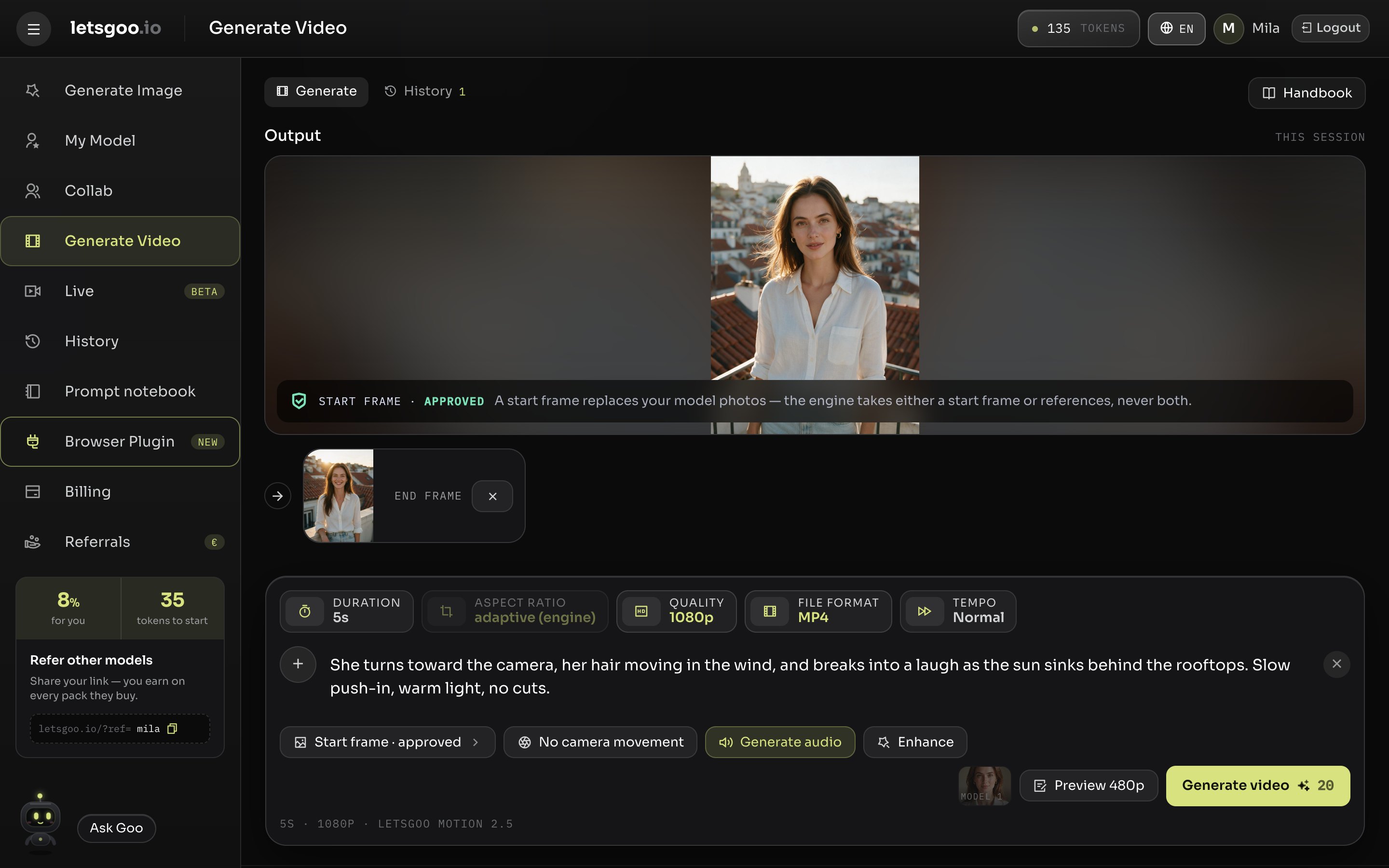
Turn stills into clips. Drop in a start frame — and, if you like, the frame it should end on — describe the motion, and MOTION 2.5 renders up to 30 seconds in up to 1080p, with sound switched on. Set the tempo, see the price before you generate, and find every clip in your history.
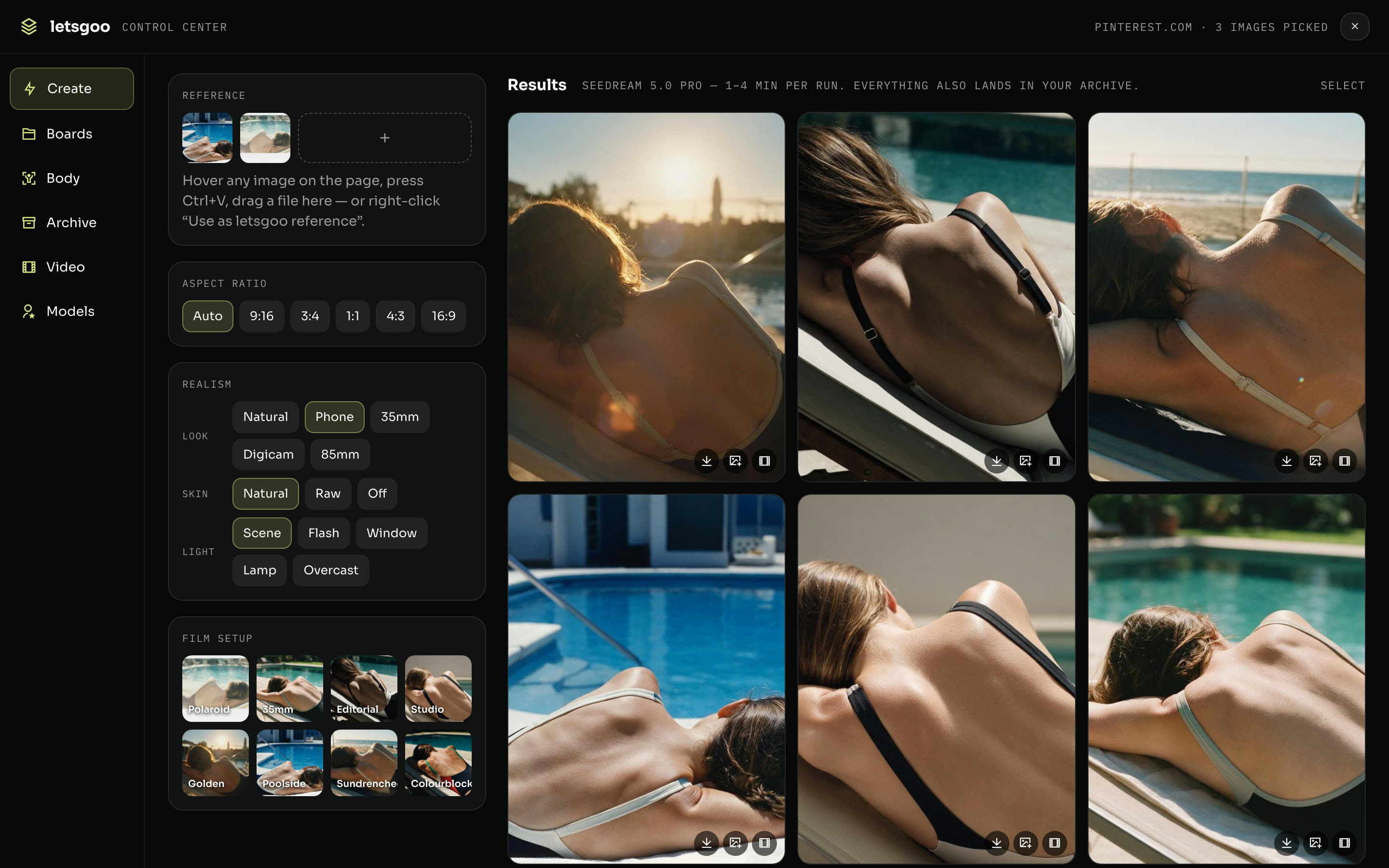
Generate from any website. The browser plugin opens a Control Center over Pinterest, Instagram or any page. Pick images there as references, set the look, and generate without switching tabs. Everything also lands in your archive.
The small things a creator tool should get right, handled for you.
No public gallery, no sharing, no training on your images. Your history is visible to you alone, and you delete what you like.
One token, one image. Tokens are only spent on images that actually arrive — blocked or failed ones are refunded on the spot.
Buy a pack once, use it whenever. No subscription required — Auto-Refill is optional and can be cancelled anytime.
Every character is a fictional AI model. Real people are not allowed, and prohibited content is blocked before anything is saved.
Every output is marked as AI-generated in its file data, in line with the EU AI Act.
Everything you generate stays in your archive until you delete it. Select what you need and download it as one ZIP.
One account, one archive, one set of tokens. Pick the window that fits how you work.
Open letsgoo.io in any browser and start generating. Nothing to install, always the latest version.
For Firefox on desktop, with Chrome in the works. Pick reference images on any page and generate from a Control Center that opens over the site.
Create, edit and swap from the phone, with your archive along for the ride.
1 token = 1 image · Tokens never expire · No subscription required
35 free tokens, no credit card. Your first generation is a minute away.
A workspace for AI model creators. You define a character once — one reference photo plus a short description — and generate images and clips of that character in any scene you describe.
One reference photo is enough. Characters have to be fictional AI models; real people are not allowed and are blocked.
One token per image on the house engine, which works out to €0.33 to €0.38 depending on the pack. The ULTRA engine costs more per image, and videos are priced by length and resolution — the price is always shown before you generate.
Up to 30 seconds on MOTION 2.5, in 480p, 720p or 1080p, with sound. You can set a start frame and an end frame, choose the tempo, and the price is shown before you generate.
Content moderation runs before anything is saved. A blocked or failed image is refunded immediately and shows up as a gap in your results, so you always see what arrived and what did not.
Yes. There is no public gallery, your history is visible only to you, and you can delete images at any time.
Story 9:16, Portrait 3:4 and Square 1:1, plus landscape variants, with up to 2560 pixels on the long edge.
English, Spanish, German, French and Chinese. Pick a language at the top of this page or in the app — your account remembers it.
The web app works in the phone's browser, and there is an Android app. The browser plugin runs on desktop Firefox; a Chrome version is in the works.